Local history
Keep captured notification text without an artificial time limit and read it again later.
NotiVault keeps new notification text on your iPhone. Find messages again, favorite what matters and mark finished items done – from the apps you choose in Shortcuts.
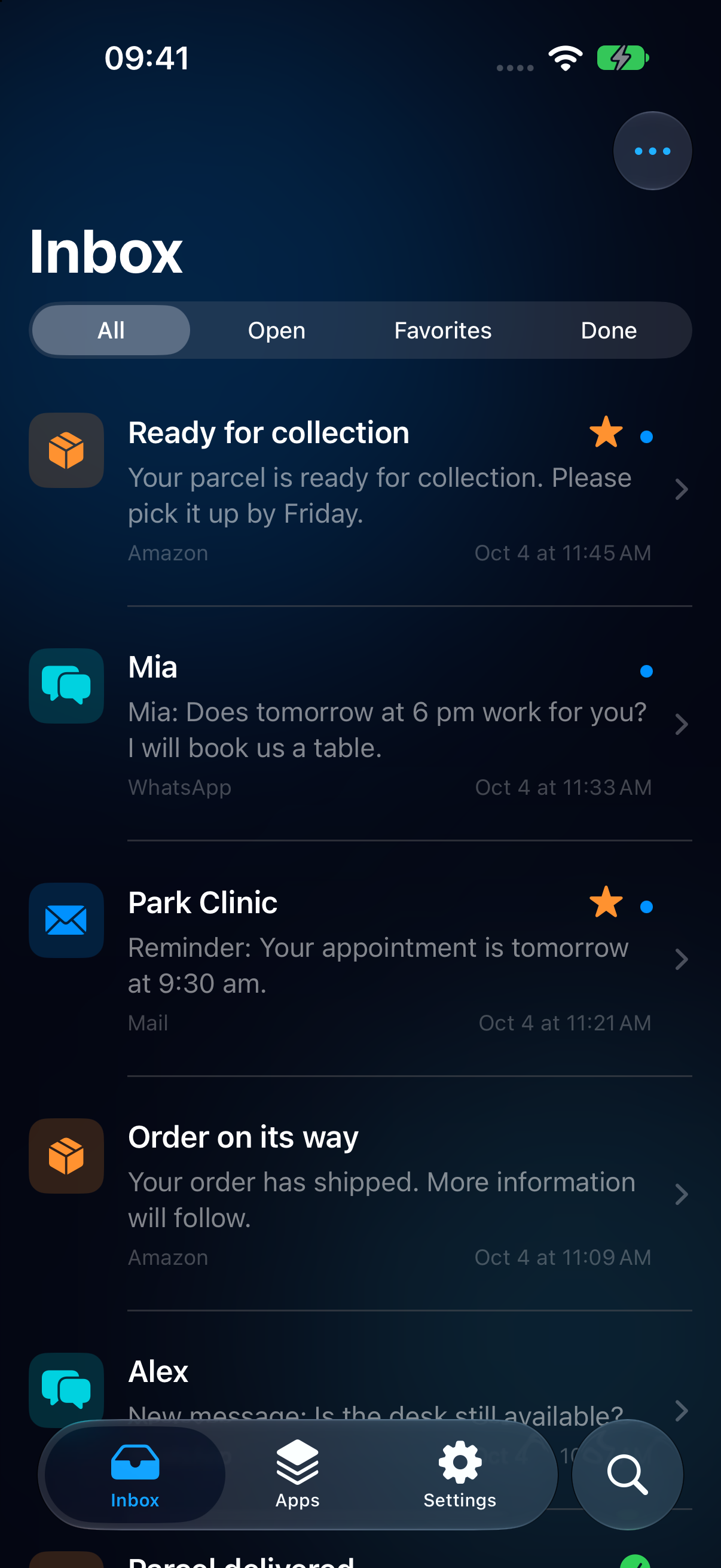
A clear history of the notifications your Shortcuts automation forwards to NotiVault.
Keep captured notification text without an artificial time limit and read it again later.
Find saved entries by their text, title, subtitle or source app.
See which entries belong to each app, with neutral symbols and app names.
Mark important notifications and find them through the favorites filter.
Keep track of what you have read or completed. Delete entries you no longer need.
Use German, English or your iPhone language. Change it any time in Settings.
Choose source apps in Apple Shortcuts. NotiVault guides you through setup.
Open the template from NotiVault’s setup guide and add it to Shortcuts.
The template starts without selected apps. Choose at least one of your installed apps in the notification trigger.
Receive a real notification and check the inbox. Also test the flow with your iPhone locked.
Only new, forwarded notifications are saved. Earlier Notification Center entries, photos and audio files themselves cannot be imported. Unlock your iPhone once after restarting it.
Setup and supportA swiped-away message, a parcel update, an unfinished task: NotiVault gives captured notifications a place to stay.
You choose which apps can forward new notifications and which entries to keep, mark or delete. Regular app updates do not require setting up your existing automation again.
Developed by Torsten Scharrer.
Notification text and metadata are stored locally on your iPhone. NotiVault does not use a cloud service of its own.
Neutral symbols are created on your iPhone. No icon search takes place and no app names are transmitted for it. Device backups may include saved data.
Read about privacyNotiVault is planned to help organize captured notifications even better. Explore all eleven planned additions and their intended benefits, just as in the app’s Pro preview.
These features are not part of the working features in version 1.0. Scope and order may change. There is no release date or purchase offer yet.
Automatically organize notifications with your own rules, such as DHL + “delivered” into Packages.
Get reminded about a saved notification later, then mark it done.
Collect packages, messages, appointments or finances across multiple apps.
Connect related notifications into a timeline. Confirm matches when the connection is unclear.
Highlight important names and keywords and find matching notifications in one place.
Combine keywords, apps and date ranges and save recurring searches.
Keep important items longer and automatically clear short-lived notifications.
Keep selected notifications in a separate area protected by Face ID.
See which captured apps send the most notifications and where you can reduce noise.
Export selected notifications as text, CSV or JSON.
A brief overview of your captured notifications. Device support and reliability are still being evaluated.
An optional seven-day trial is planned for later. It is not available yet. The free base app will remain usable independently.
NotiVault is being prepared for its first App Store release. A download link will follow after publication. The free base includes the features described in the “The free base app” section. The Pro additions are a preview of future development.
Questions? Get support